The meetings are over. The messages are replied to. The notifications are cleared. Still, your team feels tired. This fatigue may not come from the workload itself, but from the tools used to complete it.
This situation is called technostress. It occurs when technology no longer helps people and instead starts to overwhelm them.
According to My Perfect CV, 40% to 44% of workers in the UK now work remotely or in a hybrid setup. Many workers spend most of their time in digital settings, which creates constant pressure.
The Health and Safety Executive (HSE) focuses on psychosocial hazards, and digital wellbeing is a crucial part of this. HR professionals and managers must legally include these risks in their assessments as required by the Management of Health and Safety at Work Regulations.
At Training News, we focus on delivering the latest insights, news, and trends for the UK’s learning and development community.
What Technostress Actually Means
Many people think being bad with computers is the problem. It is important to clear up this misunderstanding right away.
So, what is technostress?
It is the psychological strain that builds when digital demands outpace a person’s ability to cope. In the UK workplace of 2026, three main factors add to this strain:
Always being connected
Receiving work messages late at night and on weekends
Feeling pressured to learn new software before fully understanding the previous one
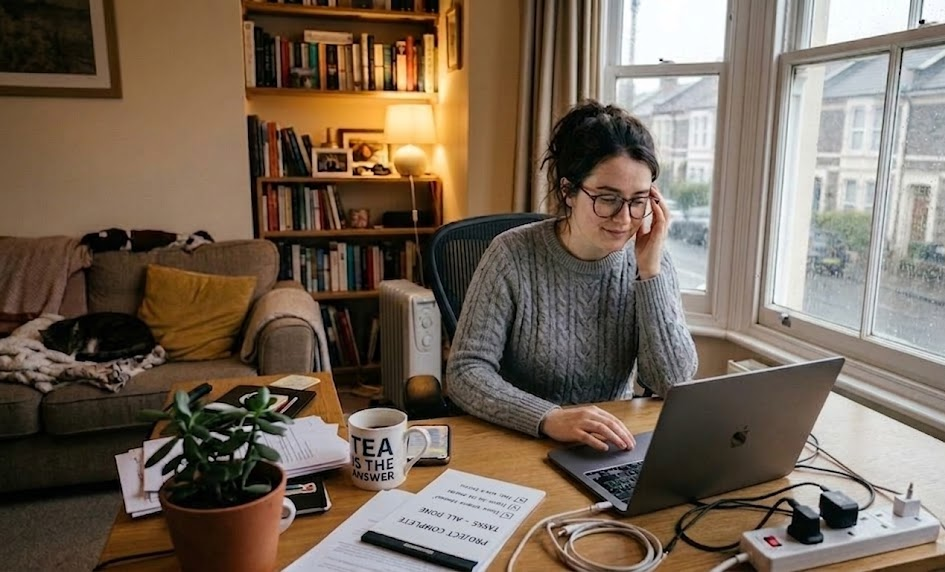
With hybrid and remote work becoming more common, these pressures now extend into employees’ homes. The line between work and personal time has blurred, and many workers are handling this stress quietly.
How to Identify Technostress Before It Spreads
Technostress can catch you off guard at any time. Unlike a sprained wrist or a clear injury, the signs of technostress are subtle. This is why people often ignore them.
Watch for Digital Withdrawal
When an employee who frequently responds quickly on messaging apps suddenly goes silent, it can be a warning sign. They may do the following:
Stop joining group chats
Attend video calls without turning on their camera
Say very little
This behaviour, known as digital withdrawal, shows that the person might be avoiding the tools causing them stress. This silence is a sign of excessive technology use and shows a larger global problem: people are feeling less connected at work.
A 2026 Gallup report found that global employee engagement dropped to 20% in 2025. When employees start to feel less connected to their work, digital silence is often one of the first signs of disengagement.
Notice the Drop in Output Despite High Activity
This situation might be surprising. An employee seems busy and is always online. But, their actual work output has dropped. This usually indicates that they are overwhelmed with too much digital information, making it harder for them to do meaningful work.
Listen for Frustration Around New Tools
Does your team react negatively every time a new platform is introduced? It’s normal to feel some resistance. However, if frustration continues, it might mean that the pace of change is too fast for people to adapt.
The pressure to keep up with updates, migrations, or new features can build up over time and create stress.
Look at Meeting Participation
People are feeling tired from video calls. When cameras are off, and there is little input from often vocal participants, it illustrates signs of meeting fatigue linked to screen time. Interacting through screens changes how you talk. You lose something important, and people can feel it in their bodies.
How to Manage Technostress With Practical Policy
Finding the problem is only part of the job. Understanding how to reduce technostress means making actual changes, not wellness posters or generic advice, but policy shifts that change daily behaviour. Here’s how to manage technostress:
Introduce No-Email Windows
Set specific times during the day when people do not send or expect internal emails. Even a two-hour window in the morning allows everyone to focus on their work without worrying about an overflowing inbox. The relief this provides is almost instantaneous.
For an example of how protecting focused time works in practice, this visual guide takes you through building a deep work routine, showing the thinking behind blocking out distraction-free time during the working day.
Shift to Asynchronous Communication
Not every message requires a quick response. Encouraging a culture of asynchronous communication helps reduce the constant pressure to be available. Clearly explain the expected response times. A four-hour window for non-urgent messages is reasonable, respectful, and easy to understand.
Run a Digital Spring Clean
Try this practical exercise with your team. Bring everyone together, it can be virtual, and agree on which notifications to turn off, which tools are not useful anymore, and which recurring meetings are not needed. This gives everyone a say in their digital workspace, which helps reduce the feeling of being controlled by it.
Build Digital Wellbeing Into Risk Assessments
Employers must assess and address mental health risks under the Management of Health and Safety at Work Regulations. Digital overload is one such hazard. HR teams should officially:
Recognise technostress as a workplace risk
Identify which roles are most affected
Implement clear controls
Treating it with the same seriousness as a physical risk sends a clear message to your workforce.
Teams with a healthy relationship with technology perform better and maintain higher retention rates.Technostress harms well-being, so managing it well can give teams an advantage.
Start by making one small change this week, like setting a “no-email” time or doing a Digital Spring Clean, and build from there.




 Leadership3 years ago
 Advice3 years ago
 Leadership2 years ago
 HR3 years ago